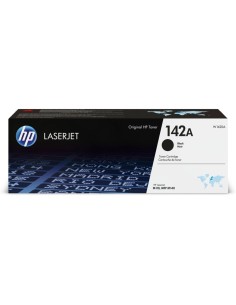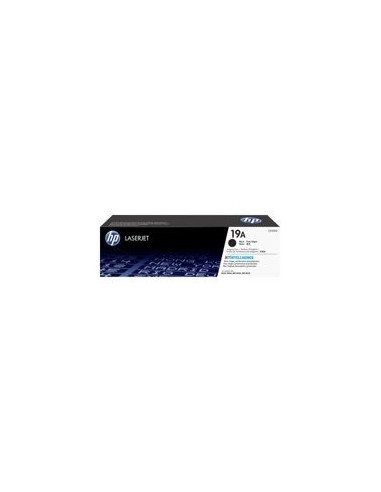
HP drum CF219A Nr.19A black

HP drum CF219A Nr.19A black

Out-of-Stock
€165.53
Tax included


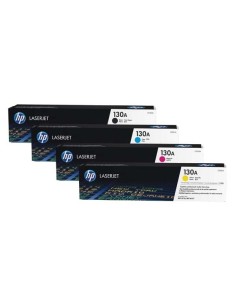
Elevate Your Print Quality with the HP 19A Black LaserJet Imaging Drum (CF219A)

Ensure your compatible HP LaserJet Pro printer consistently delivers exceptional, professional-grade results with the genuine HP 19A Black LaserJet Imaging Drum (CF219A). This essential imaging drum is expertly engineered by HP to integrate flawlessly with your laser printer, producing incredibly crisp black text and sharp graphics on every page. Perfect for all your professional documents and everyday printing tasks, this original HP drum unit guarantees reliable and high-quality output.

Designed to support high-volume printing, the HP 19A imaging drum boasts an impressive yield of up to 12,000 pages, significantly reducing the frequency of replacements and minimizing printer downtime. This high-capacity design, combined with HP's renowned original reliability, offers a cost-effective and efficient solution for maintaining peak print performance in your home or office. Experience superior print quality and extend the operational life of your printer with this dependable HP drum unit.

Compatibility

This HP 19A imaging drum is specifically designed for the following HP LaserJet Pro printers:

  • LaserJet Pro M102a
  • LaserJet Pro M102w
  • LaserJet Pro M104w
  • MFP M130a
  • MFP M130fn
  • MFP M130fw
  • MFP M130nw
  • MFP M132a
  • MFP M132fn
  • MFP M132fw
  • MFP M132nw

Specifications

  • Part Number: CF219A
  • Color: Black
  • Page Yield: Up to 12,000 pages (ISO/IEC 19752)
  • Type: Imaging Drum
  • Printing Technology: Laser

How to Install

Replacing your imaging drum is a straightforward process to keep your laser printer operating efficiently:

  1. Turn off your printer and unplug it from the power source.
  2. Open the printer's access door to expose the imaging drum.
  3. Carefully remove the old imaging drum.
  4. Remove the new HP 19A imaging drum from its packaging.
  5. Gently install the new imaging drum into the designated slot.
  6. Close the printer's access door.
  7. Plug the printer back into the power source and turn it on.
Värv
Must
HPCF219A
889894797421
No reviews

16 other products in the same category:

Product added to wishlist
Product added to compare.

This website uses cookies to improve your experience, analyze traffic, and provide relevant content. By continuing to use this website, you agree to our use of cookies.
You can find more information in our Privacy Policy. (IQITCOOKIELAW)